
How to Join SpheraMC (Java Edition)
Server IP: play.spheramc.com
- Open the Minecraft Launcher
Open the Minecraft Launcher, select Minecraft: Java Edition, choose 1.21.10 or above, and click Play. - Go to Multiplayer
From the main menu, click Multiplayer. If a warning appears, click Proceed. - Add the Server
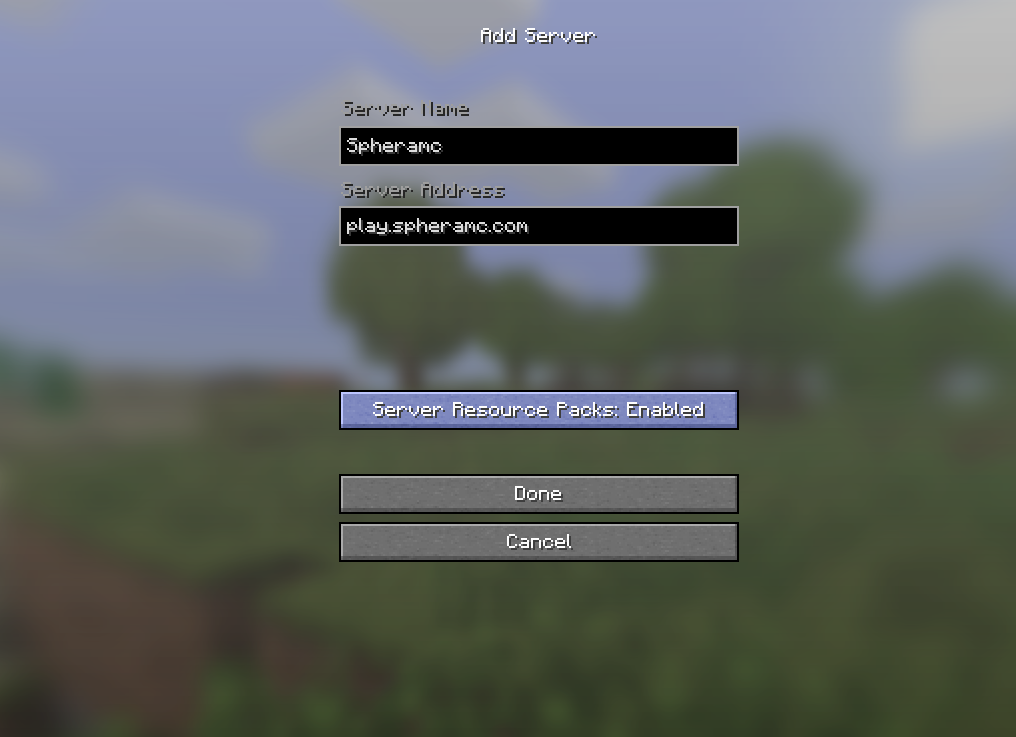
Click Add Server.
Server Name: SpheraMC
Server Address: play.spheramc.com
Click Done. - Join the Server
Select SpheraMC from your server list and click Join Server.
Common Issues
If you cannot connect, double-check that the IP is typed exactly as play.spheramc.com with no spaces.
Make sure you are using the correct Minecraft version.
If the server is modded, ensure you are using the required mod loader and mods.
How to Join SpheraMC (Bedrock Edition)
Server Address: play.spheramc.com
Port: 9114
- Open Minecraft Bedrock Edition
Open Minecraft on your device (Windows 10/11, Xbox, PlayStation, Switch, or Mobile). - Go to Servers
From the main menu, click Play, then go to the Servers tab. - Add the Server
Scroll down and click Add Server.
Server Name: SpheraMC
Server Address: play.spheramc.com
Port: 9114
Click Save. - Join the Server
Select SpheraMC from your server list and click Play.
Common Issues
If you cannot connect, make sure the address is exactly play.spheramc.com and the port is set to 9114.
Ensure you are logged into a Microsoft account.
Restart Minecraft and try again if the server does not appear online.